

LMU
How to Perform a Driver Swap in Le Mans Ultimate
Le Mans Ultimate is the official game of the FIA World Endurance Championship, a series where teamwork is crucial to success. Each car in the Hypercar and LMGT3 classes (and the LMP2 category, which only appears for the 24 Hours of Le Mans) is usually shared by three to four drivers for the duration of the season, with driving duties rotated during pit stops. Being a realistic sim, LMU also allows players to share a car during specific online Special Events, which are sporadically announced by publisher Motorsport Games. Driver swapping is a work-in-progress feature at the moment (as of January 2026), so expect a few bugs to crop up. But for the most part, it works extremely well.

Registering for a Driver Swap Race in Le Mans Ultimate
To register for a driver swap event, you will first either have to join a team or create your own (creating a team requires a RaceControl or RaceControl+ subscri[tion, something we cover in more detail here), assigning enough driver roles to comfortably complete a race distance. A four-hour event will be easier to complete with two drivers than a 24-hour event, for example, so make sure you have more drivers for longer races.
Driver swap Special Events will appear in LMU’s online mode, but can also be viewed via Racecontrol.gg or the official LMU forum and Discord. Simply select the event, choose a suitable time slot and enter your team, or have your team manager do it.
Le Mans Ultimate Driver Swap Process
So, you and your teammates have signed up for a driver swap-enabled Special Event, and now it’s time to actually swap drivers during a race. Thankfully, the process is very simple.
First, ensure all your drivers have joined the server; otherwise, they won’t be able to drive (obviously!). When you wish to swap, scroll through the MFD to the ‘Pitstop’ menu.
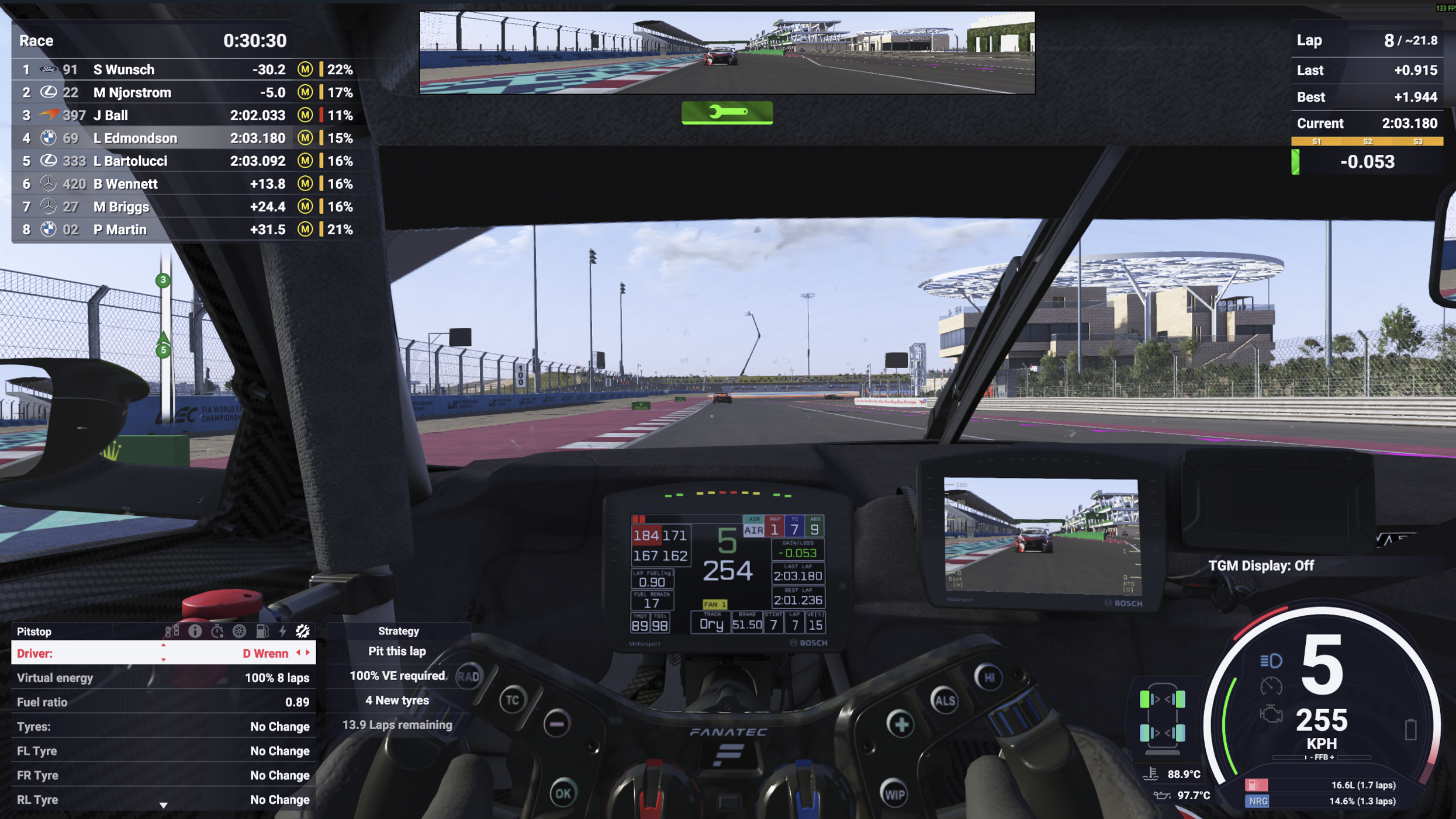
Next to ‘Driver’, simply select the desired teammate by cycling through the team’s roster.
Once set, the driver swap will be performed during your next pitstop. Request a pitstop - remember to map this function to reduce your pitstop time - and your teammates (both those in driver and engineer roles) will receive a prompt informing them you’re about to pit.
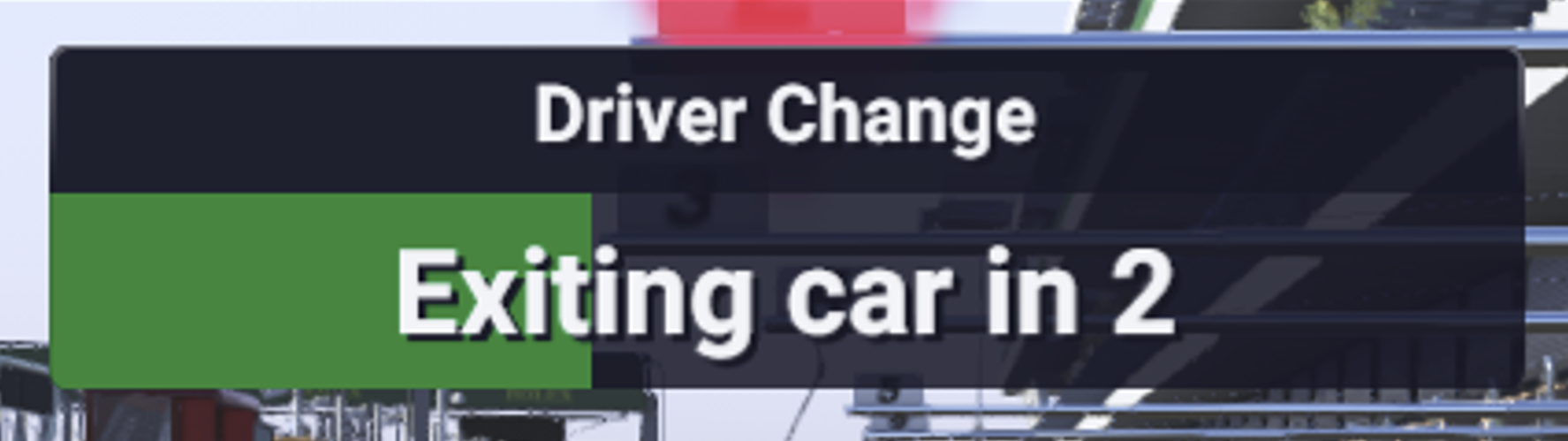
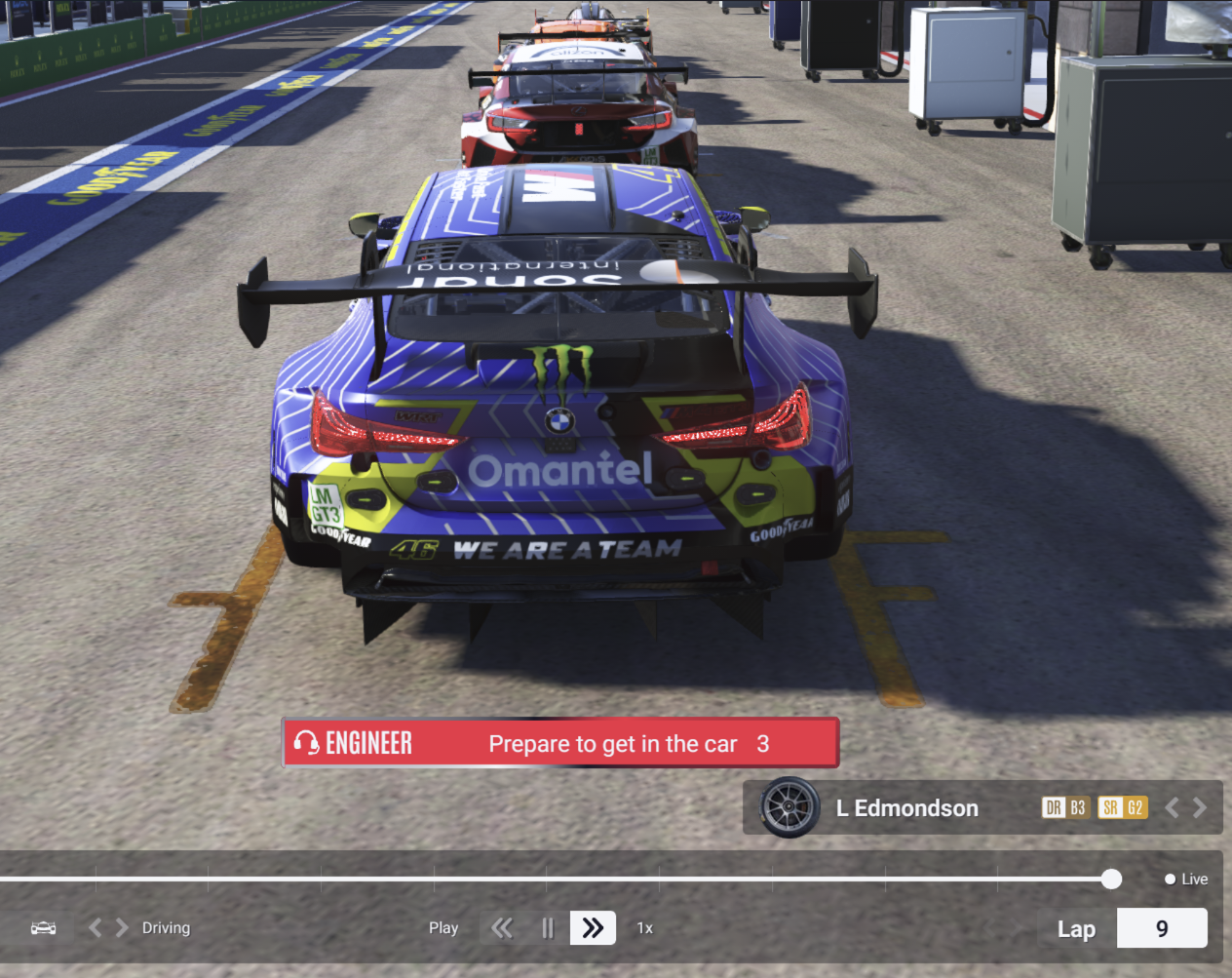
When you arrive at your pit box, a countdown will appear on-screen, showing how long you have left before you pass control of the car to your teammate. The waiting driver will also see a similar countdown.
Once the countdown hits zero, the driver swap will be complete, and you can safely exit the server or continue spectating.
Key Information About Driver Swaps in Le Mans Ultimate
- Driver swaps are still actively being worked on and refined in LMU, so expect bugs and other issues to crop up.
- Driver swaps can only be performed during a pitstop in LMU.
- As long as the pit speed limiter was applied pre-pitstop, it will still be applied once the new driver takes over.
- You will only be able to select and swap with drivers who are present on the server.


