


Rocket League
Easy Anti-Cheat Is Coming to Rocket League in April 2026: What Ranked Players Need to Know
Easy Anti-Cheat arrived in Rocket League on April 28th 2026, and on the same day, BakkesMod officially announced it's sunsetting after nearly ten years. For ranked players, this is the biggest integrity change the game has seen since it went free to play. For trophi.ai users, the impact is specific but important: all overlay-related features are removed as a direct result of EAC’s restrictions on third-party overlays, while the rest of the platform including replay analysis, coaching, and performance tracking will continue to work exactly as before. The good news is we’ve officially released a new feature: Live Game Insights. Here’s everything you need to know about what’s changing, how it affects your gameplay, and what it means for BakkesMod and trophi.ai going into the launch of EAC.

TL;DR
Easy Anti-Cheat (EAC) arrived in Rocket League on April 28th 2026, rolling out across both the Epic Games Store and Steam. For ranked players, this is the biggest integrity change the game has seen since it went free to play.
And now there is a second major development to go alongside it: BakkesMod has officially announced it is sunsetting. After nearly ten years, the project is ending active development.
For trophi.ai users, the impact is specific but important: all overlay-related features are removed as a direct result of EAC’s restrictions on third-party overlays, while the rest of the platform including replay analysis, coaching, and performance tracking will continue to work exactly as before. This is a necessary step to make sure trophi.ai is ready for the change and remains fully compliant moving forward. The good news is we’ve officially released a new feature: Live Game Insights.
Read the full article to find out everything you need to know.
Update: Since this article was published, BakkesMod has announced they are back. After initially sunsetting, the team updated BakkesMod to work with the newest version of Rocket League (non-EAC mode only), and Psyonix has offered their support to keep the project going sustainably into the future.
When is Easy Anti-Cheat coming to Rocket League?
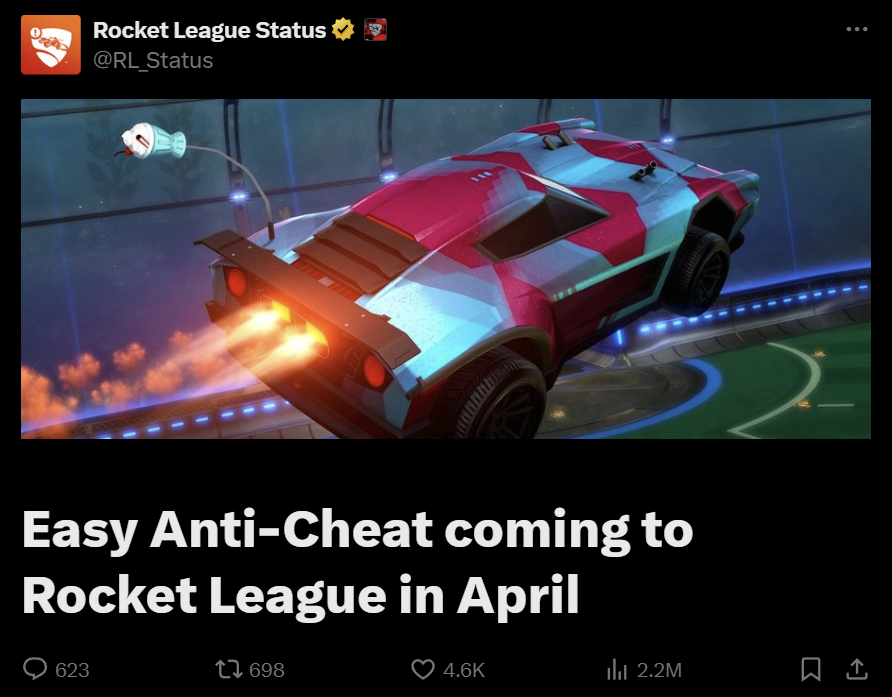
Easy Anti-Cheat is coming to Rocket League on April 28, 2026, on PC via both the Epic Games Store and Steam. Console players on PlayStation, Xbox, and Nintendo Switch are not affected by this rollout.
Official sources: The announcement was confirmed via the Epic Games help page and the Rocket League Status account (@RL_Status) on X. Psyonix has stated that EAC will be required for all online, private, and tournament matches from Season 22 onward.
What is Easy Anti-Cheat?
Easy Anti-Cheat (EAC) is an industry-standard, kernel-level anti-cheat service developed by Kamu and owned by Epic Games. It is used across dozens of competitive PC titles including Fortnite, Apex Legends, and Rust and works by monitoring system processes at a low level to detect cheat software before it can interact with the game.
In Rocket League specifically, EAC is being deployed to combat the growing bot and lobby-cheat problem that has crept into high-ranked lobbies over the past few seasons.
EAC works in the background using advanced behavioural analysis and proactive detection techniques to prevent cheating and botting. It flags repeat offenders and ban evaders, and gets smarter over time using player reports. Importantly, if EAC spots a violation mid-match, it cancels the match without any impact on your MMR so legitimate players won't be punished for someone else cheating in their lobby. Psyonix has been clear that the goal is to make ranked play reflect real skill.
Will BakkesMod Still Work With EAC Enabled?
This is the question most serious players are asking and there are now two answers to it, because the situation changed on April 28th.
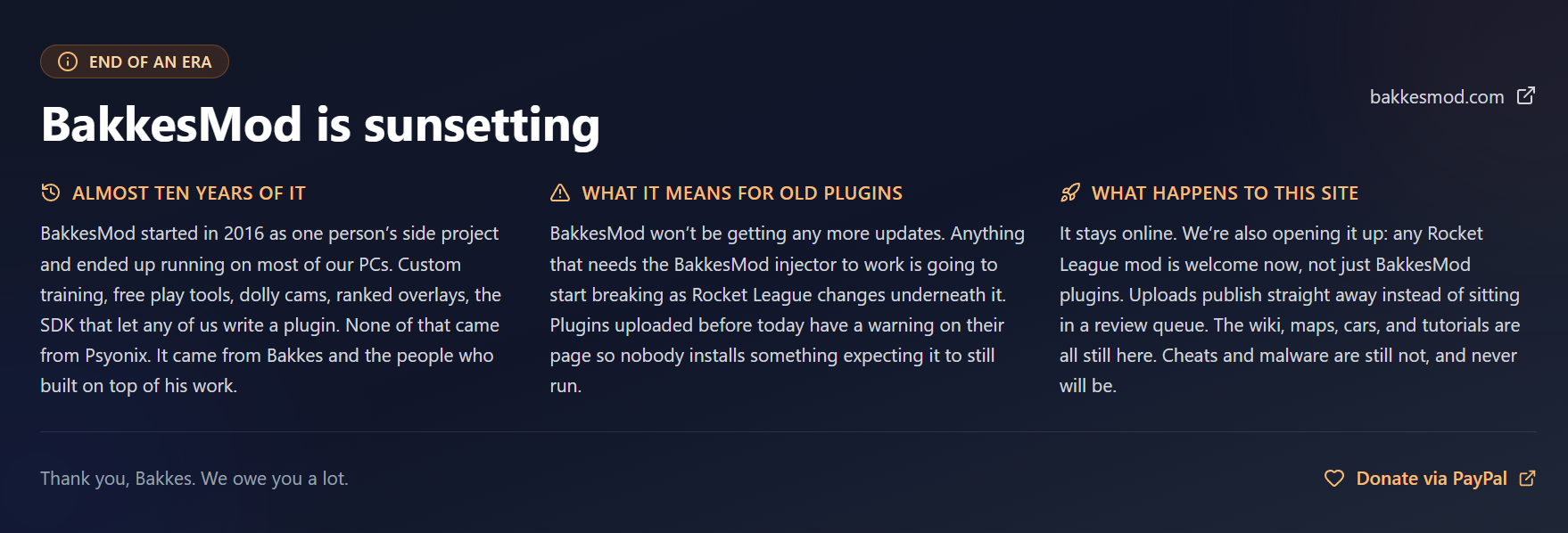
On the same day EAC went live, BakkesMod officially announced it is sunsetting. After nearly ten years, the project is ending active development. That means the question is no longer just "will it work with EAC?" but "will it work at all going forward?"
Here is what that breaks down to in practice:
- No more updates. BakkesMod will not receive further development. Anything that relies on the BakkesMod injector will gradually break as Rocket League changes underneath it.
- Existing plugins have been flagged. Plugins uploaded before the announcement now carry a warning on bakkesplugins.com so players know they may no longer function as expected.
- bakkesplugins.com stays online. The site is expanding: any Rocket League mod is now welcome, not just BakkesMod plugins. Uploads publish immediately rather than going through a review queue. The wiki, maps, cars, and tutorials remain accessible.
- Cheats and malware are still not allowed. That policy does not change.
As for EAC specifically, here is the breakdown by mode:
- Online ranked, casual, private matches, and tournaments: EAC is on, plugins are off.
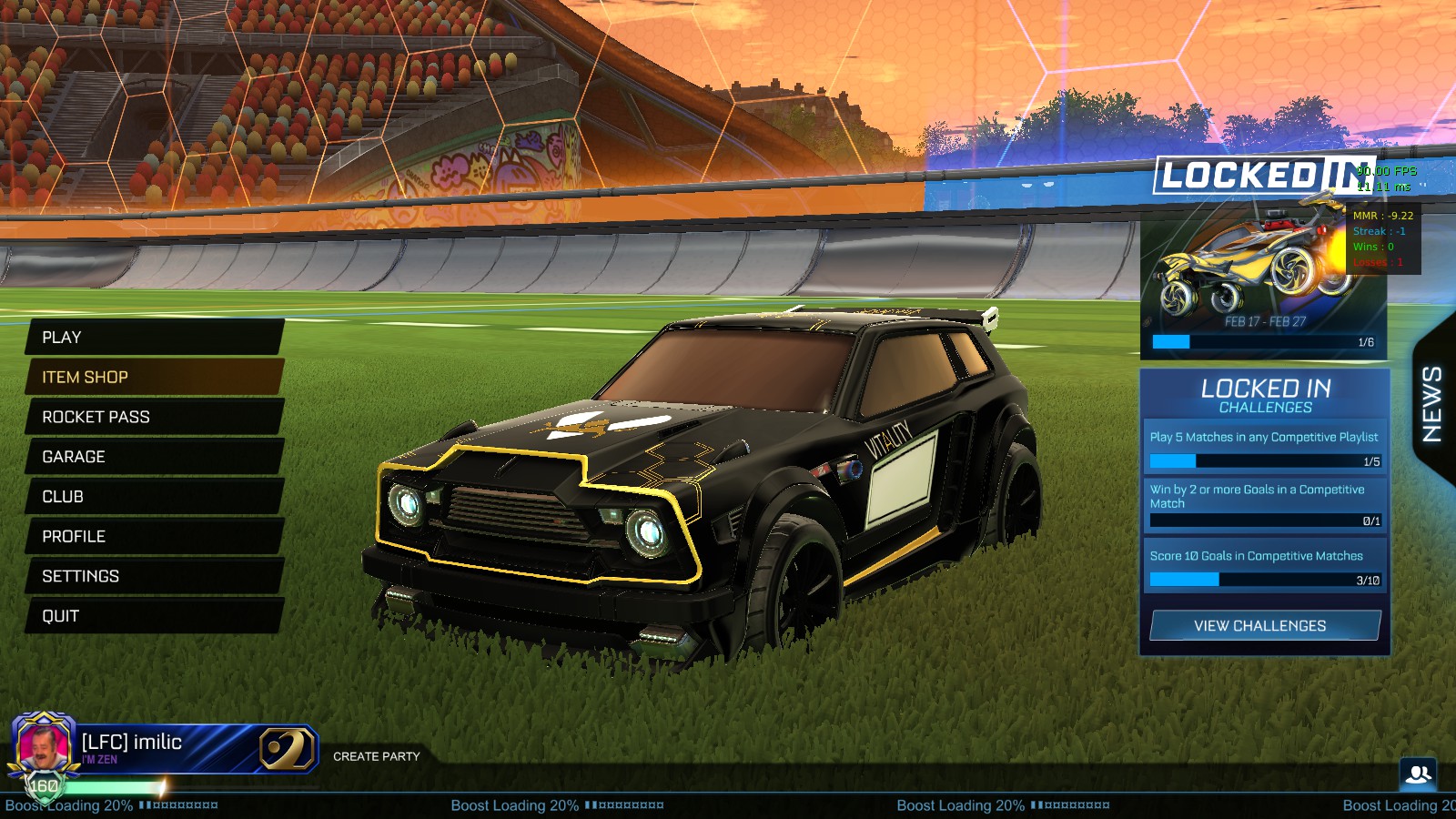
- Offline free play, custom training, LAN, and replay review: you can launch without EAC and mods will continue to work there. You can still launch Rocket League without EAC and BakkesMod will function for now. But because BakkesMod is no longer being developed, expect it to break progressively as Rocket League receives updates. There is no one maintaining compatibility going forward.
- Psyonix has signalled that some of the most-used BakkesMod features: including in-game MMR display and structured training tools: may eventually be built into the game natively. No confirmed timeline yet.
The practical takeaway: treat BakkesMod as a tool with an expiry date, not a stable long-term part of your workflow. If your ranked prep relied on plugin-driven training or camera tweaks applied via BakkesMod, now is the time to build those habits natively inside Rocket League's own settings.
Does Rocket League Now Have an Anti-Cheat?
Prior to Season 22, Rocket League had no true client-side anti-cheat system. This is why bot farming and certain lobby exploits became progressively worse in higher-ranked play; there was no technical barrier preventing cheating software from running alongside the game. EAC is the first formal anti-cheat added to Rocket League, and it represents a structural change to the integrity of the ranked ladder.
Does EAC work on Linux and Steam Deck?
Yes, Psyonix has explicitly confirmed Linux, SteamOS, and Proton support for the EAC rollout. Steam Deck players can continue to play ranked without disruption.
This distinguishes Rocket League's EAC implementation from some previous EAC deployments (notably Fortnite on Linux) where kernel-level requirements broke Proton compatibility. The r/linux_gaming community has been closely watching this launch precisely because of that history, and the confirmed support is a meaningful reassurance for players on those platforms.

What Does EAC Mean For Ranked Climbing and Coaching?
This is the section that most news coverage has not addressed. Here is the real-world impact for competitive players:
Cleaner lobbies
The most immediate effect should be a reduction in bot accounts and smurf-farming activity, especially in Grand Champion and above. If EAC does what it is designed to do, the players in your lobbies will be there on merit which makes MMR a more reliable signal of actual skill.
More accurate MMR over time
Bot-inflated and cheat-assisted accounts distort the distribution of the ranked ladder. As EAC removes those accounts, placement and progression should better reflect real performance across all ranks, not just the very top.
Training workflow adjustments
BakkesMod custom training packs and replay analysis still work offline. The loss is primarily in-game, in-session tooling during online play not in your broader prep routine. Structured offline training remains fully intact.
The shift away from plugin-dependent workflows is actually an opportunity to build more transferable skills. Players who relied on BakkesMod camera or HUD overlays to compensate for setup gaps will need to nail down their in-game settings properly and that's a good thing for long-term development. trophi's AI coaching tools work independently of BakkesMod and continue to provide the kind of structured replay analysis and ranked-climbing guidance that doesn't require any mods. If you haven't tried it yet, now is a good time.

What Does This Mean for trophi.ai Users?
With Easy Anti-Cheat coming to Rocket League, in-game overlays are no longer supported. As a result, we’ve fully removed all overlay-based features from trophi.ai to ensure compliance and protect player accounts. But this is not a loss of functionality, it’s a shift in how that functionality is delivered.
We’ve released Live Game Insights, a new system designed to carry forward everything players relied on from overlays, without requiring any in-game injection. It is a web-based analytics dashboard that runs alongside your game instead of inside it.
The goal is to give you continuous visibility into your performance during a session, without interfering with gameplay or triggering anti-cheat systems.
Runs on any device
Open it on a second monitor, phone, or tablet while you play
No screen clutter
Your in-game view stays completely clean
Automatic updates
Your data refreshes after every match (typically within 30–60 seconds)
What You’ll See In The Dashboard
The dashboard is built around a set of focused, actionable widgets:
Custom Stats
Compare your key metrics (like Average Speed or Boost Collection) against players in your rank.
Stat Trends
Track how specific stats evolve over your recent games to spot improvement or inconsistency.
Skill Scores
Get 0–100 ratings across core areas like Movement, Aerials, Positioning, and Boost Management.
Playstyle Radar
Understand how you play through a breakdown of offense, defense, rotation, aggression, and more.
Field Positioning
See how your time is distributed across defensive, neutral, and offensive zones.
Boost Heatmap
Visualize exactly where you move and collect boost throughout a match.
Active Objectives
A tailored progress tracker for specific, actionable goals delivered to you by our AI coaching analysis
How To Fix Easy Anti-Cheat Errors
Some players will hit EAC errors on first launch, especially if their system has other anti-tamper or security software running. Here are the most common issues and how to fix them:
- Install failure: Verify your game files through Steam or the Epic Games Launcher, then restart. EAC installs alongside the game client and sometimes needs a repair pass to register correctly.
- Service not running: Open Services (services.msc on Windows), find "EasyAntiCheat," and ensure it is set to run automatically. A full system restart after verifying files usually clears this.
- Firewall or antivirus blocking EAC: Add an exception for EasyAntiCheat.exe and the Rocket League executable in your firewall and any third-party antivirus software.
- Outdated drivers or Windows build: Kernel-level anti-cheat is sensitive to driver state. Update your GPU drivers and ensure Windows is on the latest update before launching.
- Conflicting overlays: Disable any other third-party overlay software (Discord overlay, GeForce Experience overlay, Steam overlay if causing issues) and relaunch.
For deeper troubleshooting, the Epic Games EAC support page and the easy.ac help centre both maintain updated guides for persistent errors.
How To Launch Rocket League Without EAC
Note: online play will be disabled without easy anti cheat running.
On Steam: When you launch Rocket League you'll see a "Select Launch Option" dialog with two choices: Play Rocket League (with EAC, full online access) and Play Rocket League with Anti-Cheat Disabled (Mods and Limited Online Play).
Select the second option for offline mod use. You can also check "Always use this option" to skip the prompt in future, just remember to switch back if you want to play online.
Alternatively you can also set the default by right clicking the game, clicking properties, it will be under General -> Select Launch Option.
.png)
On Epic Games Launcher: you can disable it by going to your Library, clicking the three dots,, "Manage" and adding "-noEAC" to launch arguments.
.png)
.png)
What To Do Before EAC Launches
A short checklist to make sure you are ready before the switch flips:
- Back up your BakkesMod config and screenshot any custom camera settings, bindings, or HUD layout: you will want to recreate these in the native Rocket League settings.
- Reproduce your camera and controller settings in-game now, before Season 22 starts. Check out the trophi guide to the best Rocket League settings for a reference point.
- If you are on Linux or Steam Deck, verify your installation now so you are not troubleshooting on launch day. EAC support is confirmed, but a clean test run beforehand saves headaches.
- Decide which of your training workflows you want to keep running in offline/no-EAC mode, and which you want to transition to in-game tools.
- Review your MMR and ranked standing now as a baseline. Once bot accounts clear out, placement data may shift. Understanding how ranking and MMR work going into a new season matters.
Written by the teams at trophi.ai
FAQs
Frequently Asked Questions
Does Rocket League use an anti-cheat?
As of April 28, 2026, yes. Easy Anti-Cheat is the first formal client-side anti-cheat system added to Rocket League, introduced specifically to address bot farming and lobby exploits in ranked play.
Is BakkesMod still allowed?
BakkesMod is not banned, but it cannot run during online sessions when EAC is active. It continues to work for offline free play, custom training, LAN, and replay viewing for now. Because BakkesMod is no longer being maintained, expect compatibility to degrade over time with future Rocket League updates.
When does anti-cheat come to Rocket League?
Easy Anti-Cheat arrives on April 28th 2026. As confirmed by Psyonix and the Epic Games help page, it will be required for all online, private, and tournament matches from that point on.
Do I need Easy Anti-Cheat to play ranked?
Yes. EAC must be active to access online modes, which includes all ranked playlists. You cannot queue for competitive matches with EAC disabled.
Will EAC stop bots in Rocket League?
That is the intent. EAC targets the bot-running software and cheat tools that bot accounts rely on. Whether it eliminates the problem entirely remains to be seen, but it is the first structural measure Psyonix has taken to address bot farming in ranked lobbies.
Does EAC work on Steam Deck?
Yes. Psyonix has explicitly confirmed Linux, SteamOS, and Proton compatibility. Steam Deck players can continue to play ranked without any change to their setup.
Can I still use BakkesMod offline?
Yes, for now. BakkesMod and third-party plugins continue to work when you launch Rocket League without EAC enabled. However, because BakkesMod is sunsetting and will no longer receive updates, expect this to change as Rocket League itself is updated. Treat offline BakkesMod compatibility as temporary, not permanent.
How do I fix an Easy Anti-Cheat error?
Start by verifying your game files through Steam or the Epic Launcher, then restart. If the error persists, check that the EasyAntiCheat service is running in Windows Services, add an exception in your firewall and antivirus, and ensure your drivers and Windows are up to date. The easy.ac help centre has platform-specific guides for more complex cases.


